USB
USB drive selection
Select the drive you want to remove.
Find USB drive locks | Close safely | Verify | Eject
A Windows utility designed to make USB drive removal easier and safer.
The animated demonstration below uses your existing GIF file. Keep this HTML file in the project root so the relative asset path works.
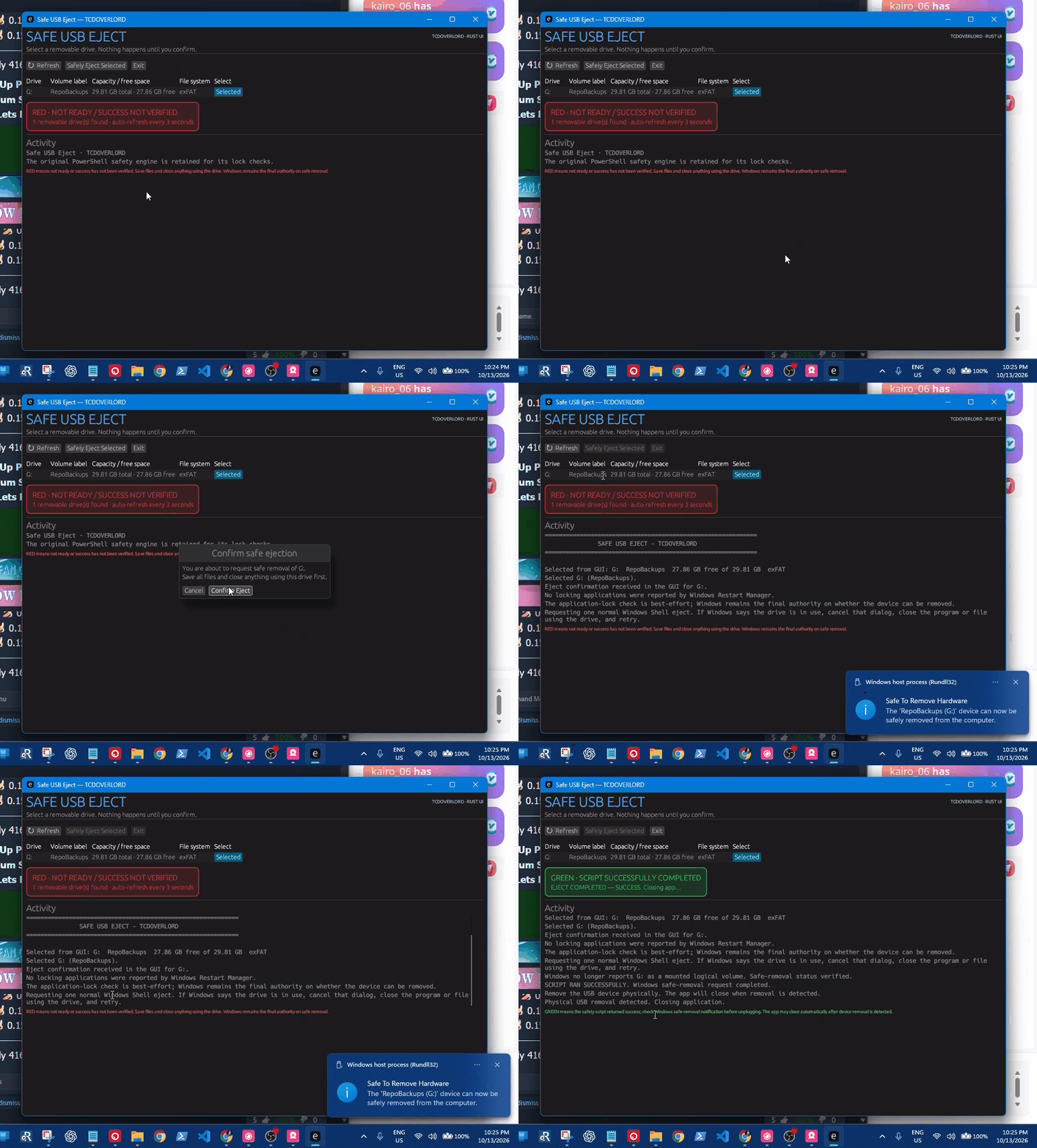
Actual project demo | assets/vids/usbsafeject_gif_video.gif
Select the drive you want to remove.
Follow the application's safe-removal process.
A dedicated graphical interface for the workflow.
Uses the project's PowerShell script for eject operations.
Clear status information while the workflow runs.
Includes an executable and its companion script.
Confirm each feature against the build you're publishing before calling it production-ready.
Find the available USB drives.
Choose the drive you want to eject.
Confirm the requested operation.
Allow the eject operation to run.
Follow the status shown by Windows and the app.
Disconnect only when it is safe to do so.
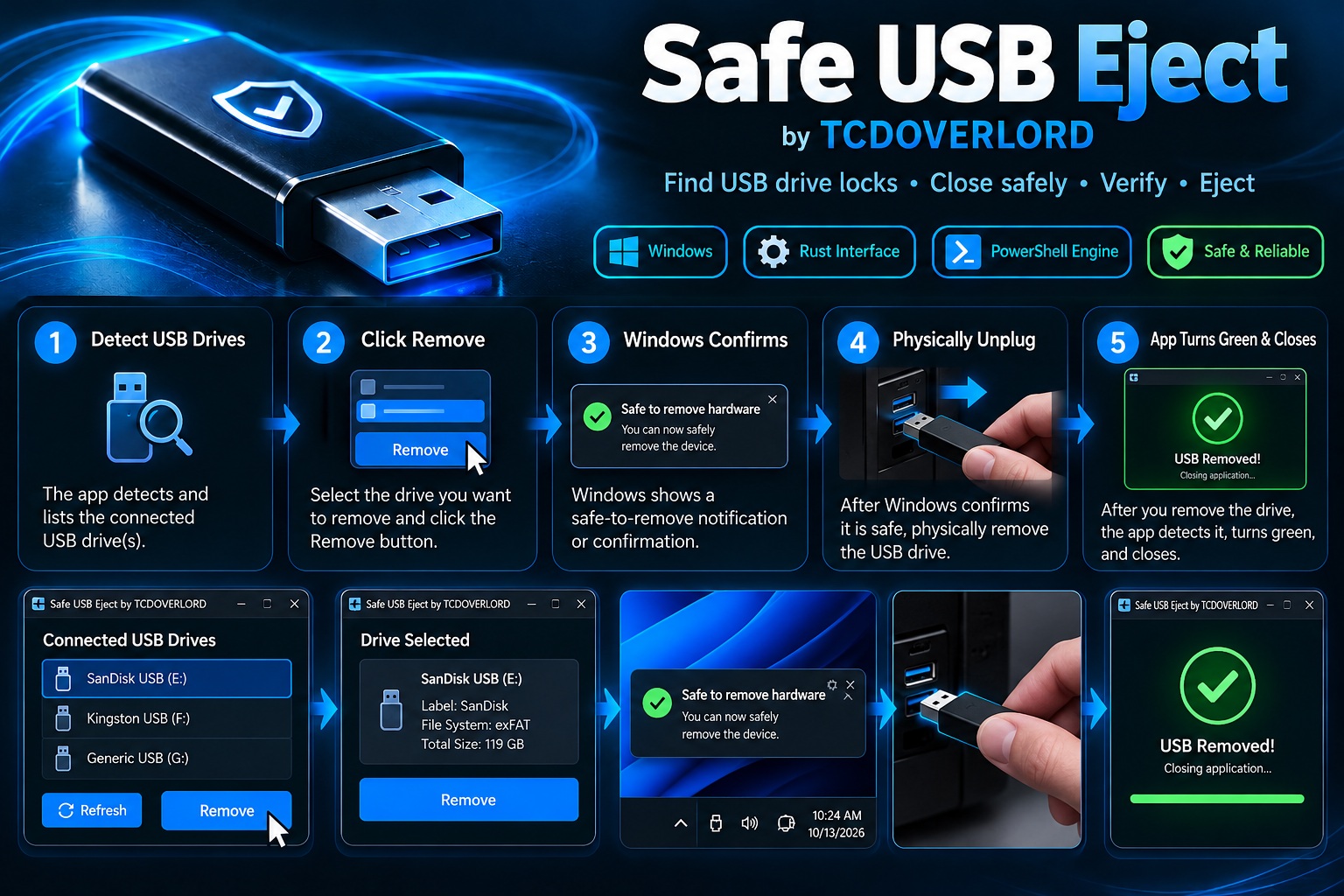
Browse the published build files in the repository.
Requirements: Windows, Rust/Cargo, and PowerShell.
git clone https://github.com/tcdoverlord/Windows-USB-Safe-Eject.git
cd Windows-USB-Safe-Eject
See BUILD-EXE.bat and the project documentation for build instructions.
Read the project safety documentation before use.
Windows-USB-Safe-Eject/
|-- assets/
|   |-- imgs/                 # Image assets and future graphics
|   `-- vids/
|       `-- usbsafeject_gif_video.gif
|-- dist/
|   |-- SafeUSB-Eject.exe
|   `-- scripts/
|       `-- Safe-USB-Eject.ps1
|-- docs/
|-- legacy/
|-- scripts/
|-- src/
|-- BUILD-EXE.bat
|-- Cargo.toml
|-- LICENSE
`-- README.mdI use these USB drives myself and have found them fast and reliable for everyday storage. Check the product details to make sure it suits your needs.
Here's another item I recommend for needs beyond USB storage. Open the link to see the product details.
Affiliate disclosure: These are affiliate links. I may earn a commission from qualifying purchases made through them, at no additional cost to you.
Found a bug or have an improvement to suggest?
When reporting a problem, include your Windows version, app version or commit, USB device type, and any relevant error message. Do not include private information.
See the LICENSE file for the applicable license and terms.