Angel AI
The assistant interface and starting point for everyday AI workflows.

A unified local AI platform combining Angel AI, LocalAI, and Angel Nexus.
Start with an approachable assistant and use the Windows Control Center to install, repair, start, and stop the configured platform without manually running every service yourself.
The project connects the Angel assistant experience, model inference, modular tools, persistent storage, and supporting services.

The assistant interface and starting point for everyday AI workflows.
The inference and API layer for supported models and local services.
The modular tools and integration environment, with capabilities depending on the current build.
LocalAI-Angel is actively evolving. Supported capabilities and performance depend on the build, configuration, hardware, and service readiness.
Use the Angel Control Center for the easiest setup and everyday operation. Docker Desktop must be installed and running before you install, start, or manage the platform.
Download the ZIP from GitHub and extract the repository to your preferred folder. For example:
Install Docker Desktop if you do not already have it. Launch Docker Desktop and wait until the Docker engine is fully running before opening the installer or Control Center.
Open the project's dist folder and double-click the Control Center executable:
Keep the project folder structure intact so the Control Center can find the batch scripts.
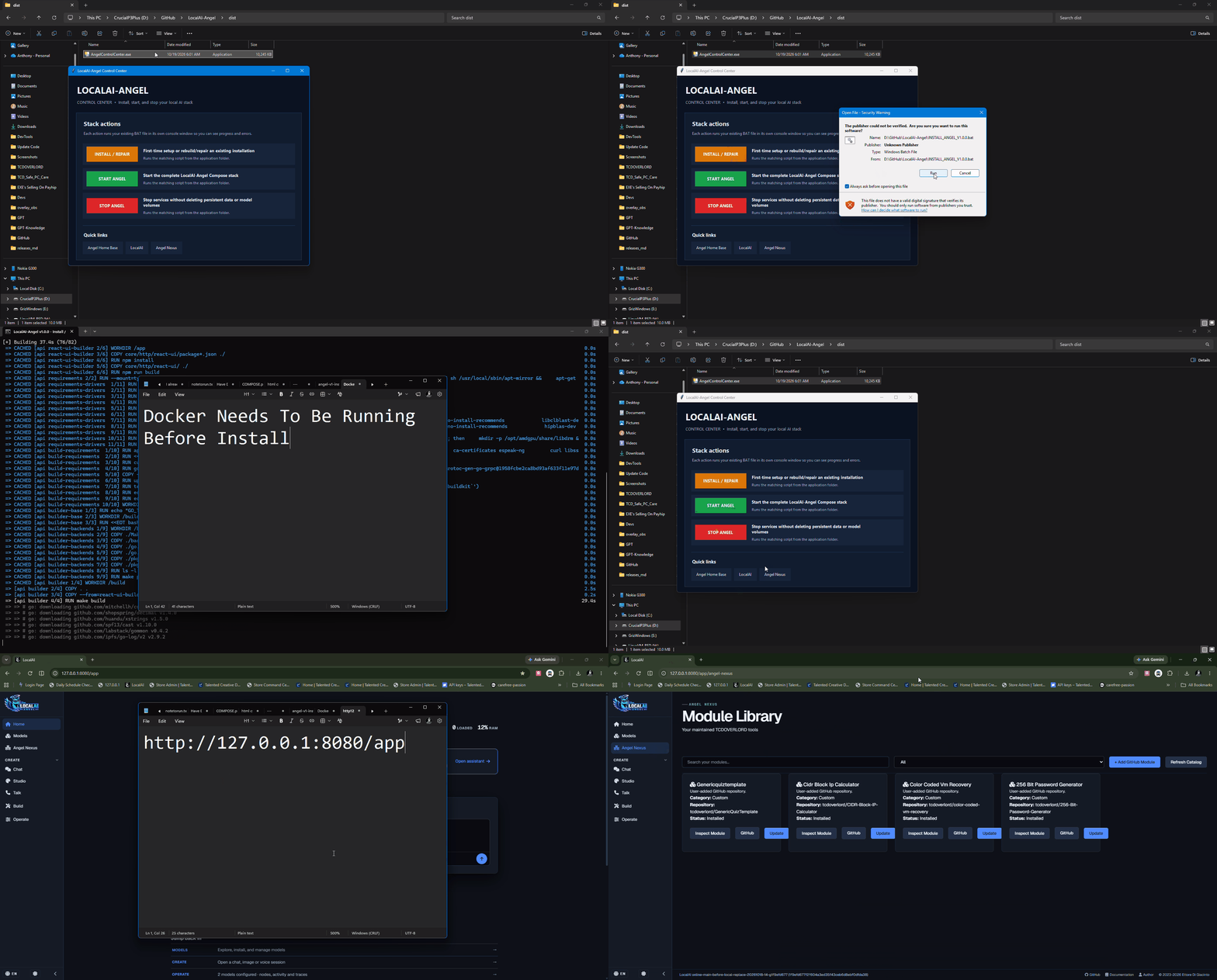
In the Control Center, click INSTALL / REPAIR. This runs the installation workflow to prepare the LocalAI-Angel services and required components. Follow the on-screen progress and allow downloads and builds to finish. Do not close Docker Desktop during installation.
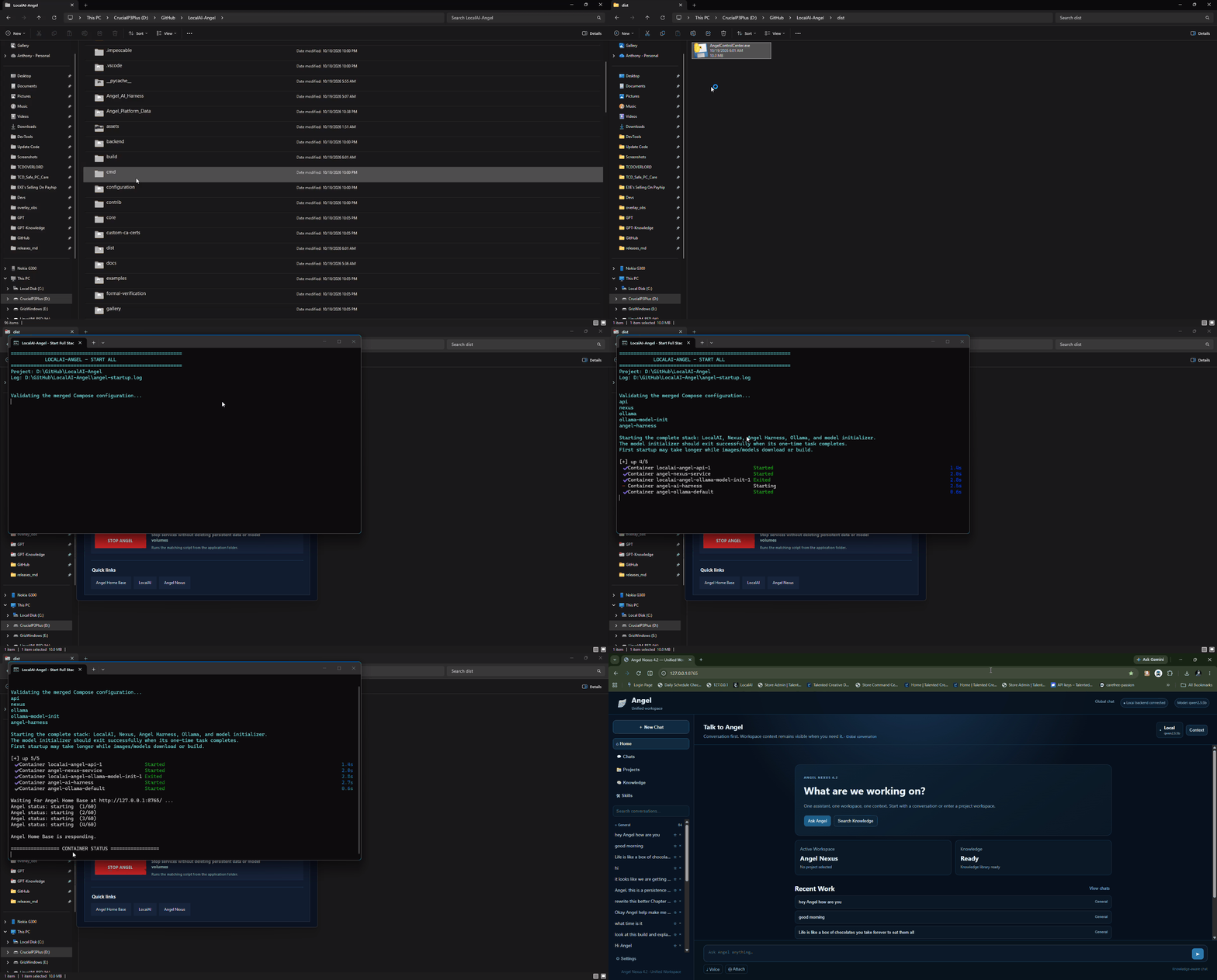
Once installation has completed, open dist\AngelControlCenter.exe and click START ANGEL. The Control Center starts the configured Docker Compose services. Wait for startup to complete, then open the local interfaces below.
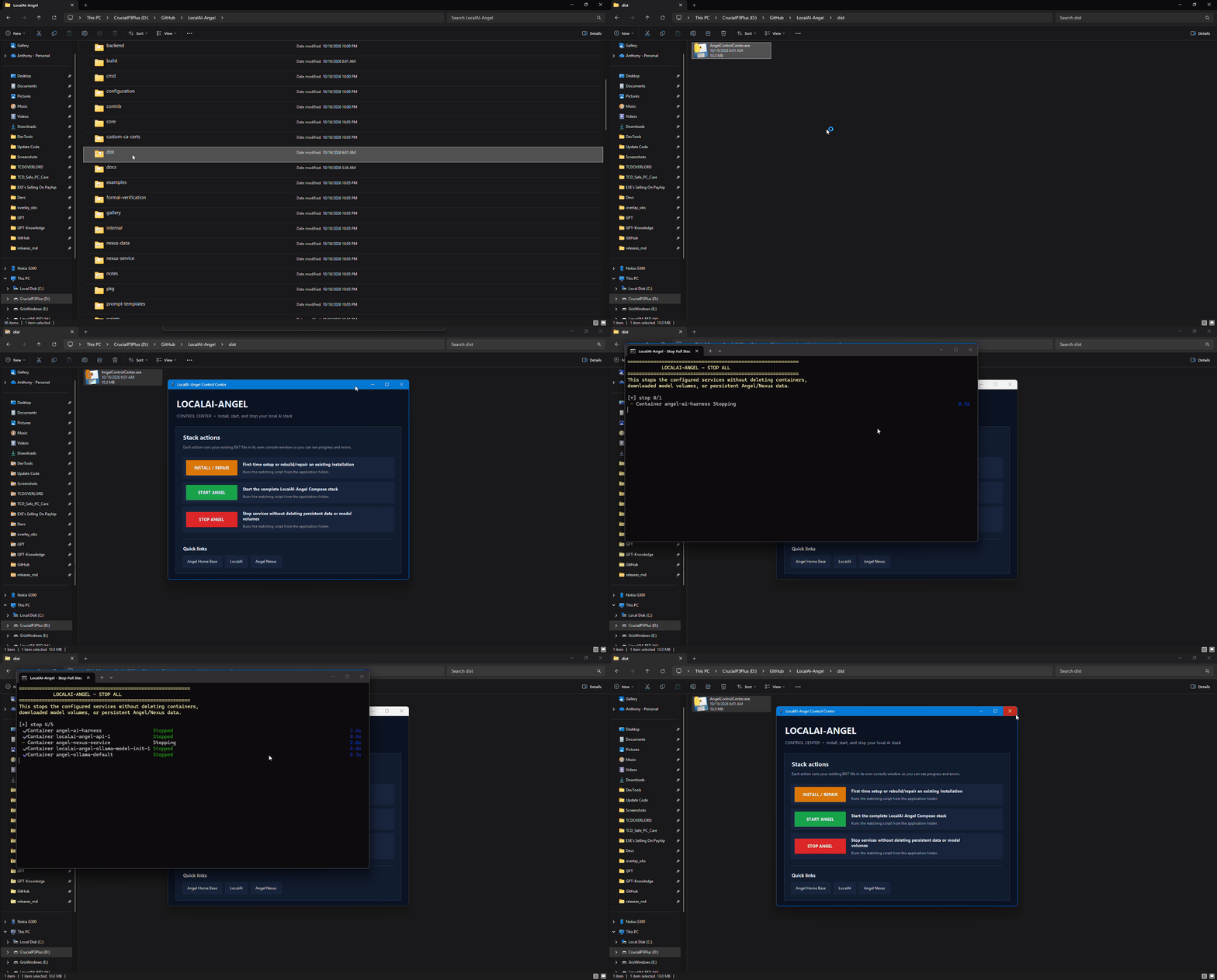
Open the Control Center and click STOP ANGEL. This stops the configured services. Persistent application data and model volumes are intended to remain in place, so you do not need to reinstall every time you want to use Angel again.
dist\AngelControlCenter.exe → click START ANGEL. When finished, click STOP ANGEL. Use INSTALL / REPAIR for the initial setup or when you need to repair the installation.qwen2.5:3b and is not bundled in the ZIP. Download and build time depends on your internet connection and hardware. Never share API keys, tokens, or private .env files.After the services finish starting, open these local interfaces on the computer running the containers. These addresses are not public internet URLs.
Assistant chat, history, summaries, knowledge, and related features.
Model gallery and inference API. Add supported models here as needed.
Browse and manage the Nexus module and repository workflows.
qwen2.5:3b model.If a local URL does not open, confirm Docker Desktop is running, click START ANGEL in the Control Center, and wait for the services to finish initializing. Check the Control Center output or use the repository's diagnostic utility if needed.
Use these short tutorials to follow the installation, startup, and shutdown workflow. Each guide is collapsed by default so the animations do not all play at once.

Start Docker Desktop first, then open dist\AngelControlCenter.exe and choose INSTALL / REPAIR. Keep Docker running until setup and checks finish.
Make sure Docker Desktop is running, launch dist\AngelControlCenter.exe, and click START ANGEL. Wait for the services to initialize before opening the local interfaces.
Open the Control Center and click STOP ANGEL when you are finished. Stopping the services is not intended to remove persistent models or application data.
Browse the current code, launchers, configuration, and history.
Explore the assistant harness and starter components.
Learn about model serving, supported backends, APIs, and configuration.
Some features may be experimental, hardware-dependent, or still in development. This repository integrates upstream LocalAI; review license files and attribution notices for the project and its individual components.